Project · applications
Culler
Local-first image triage workflow for rapidly reviewing, selecting, and preparing photos for editing.


Overview
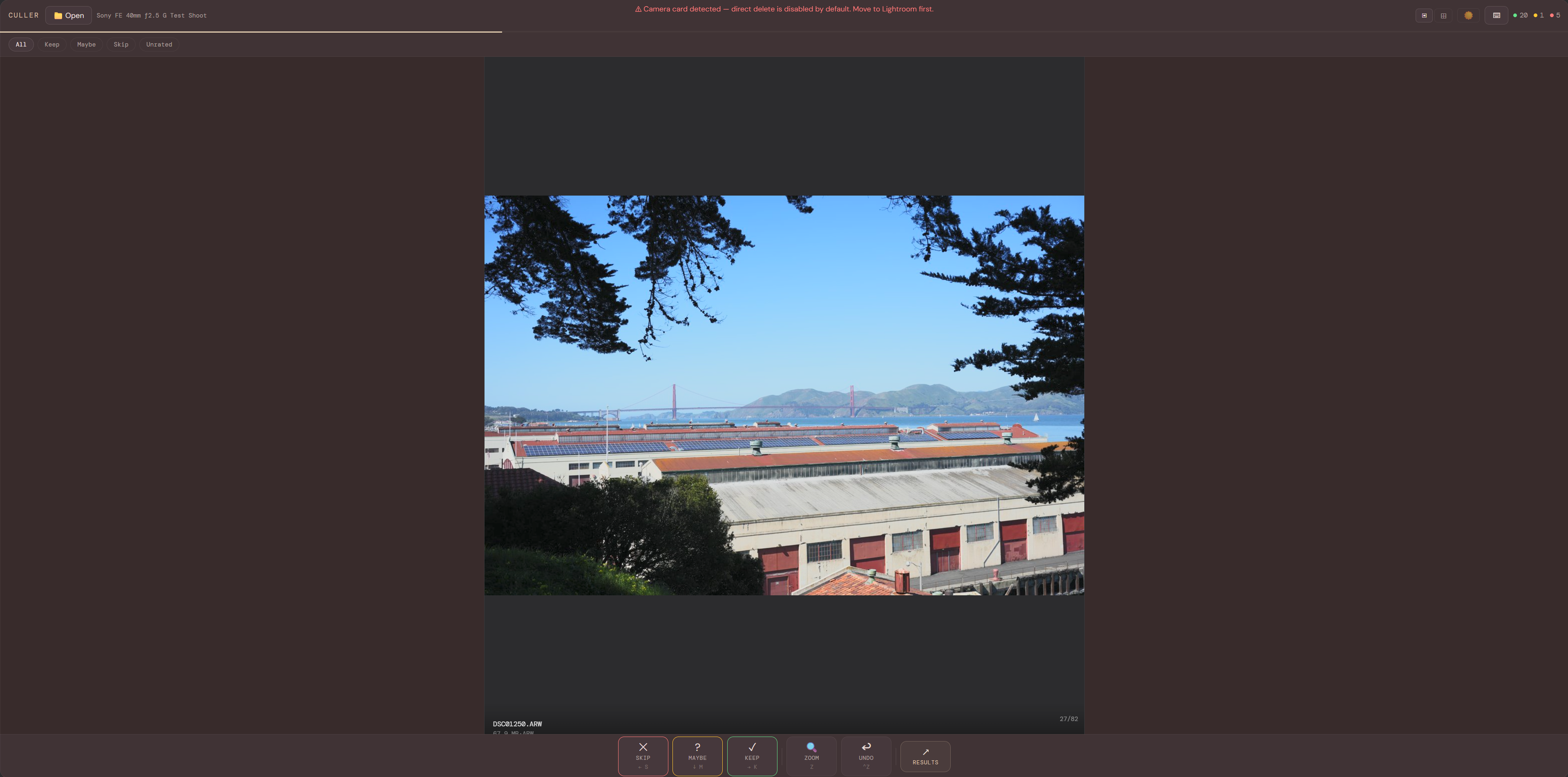
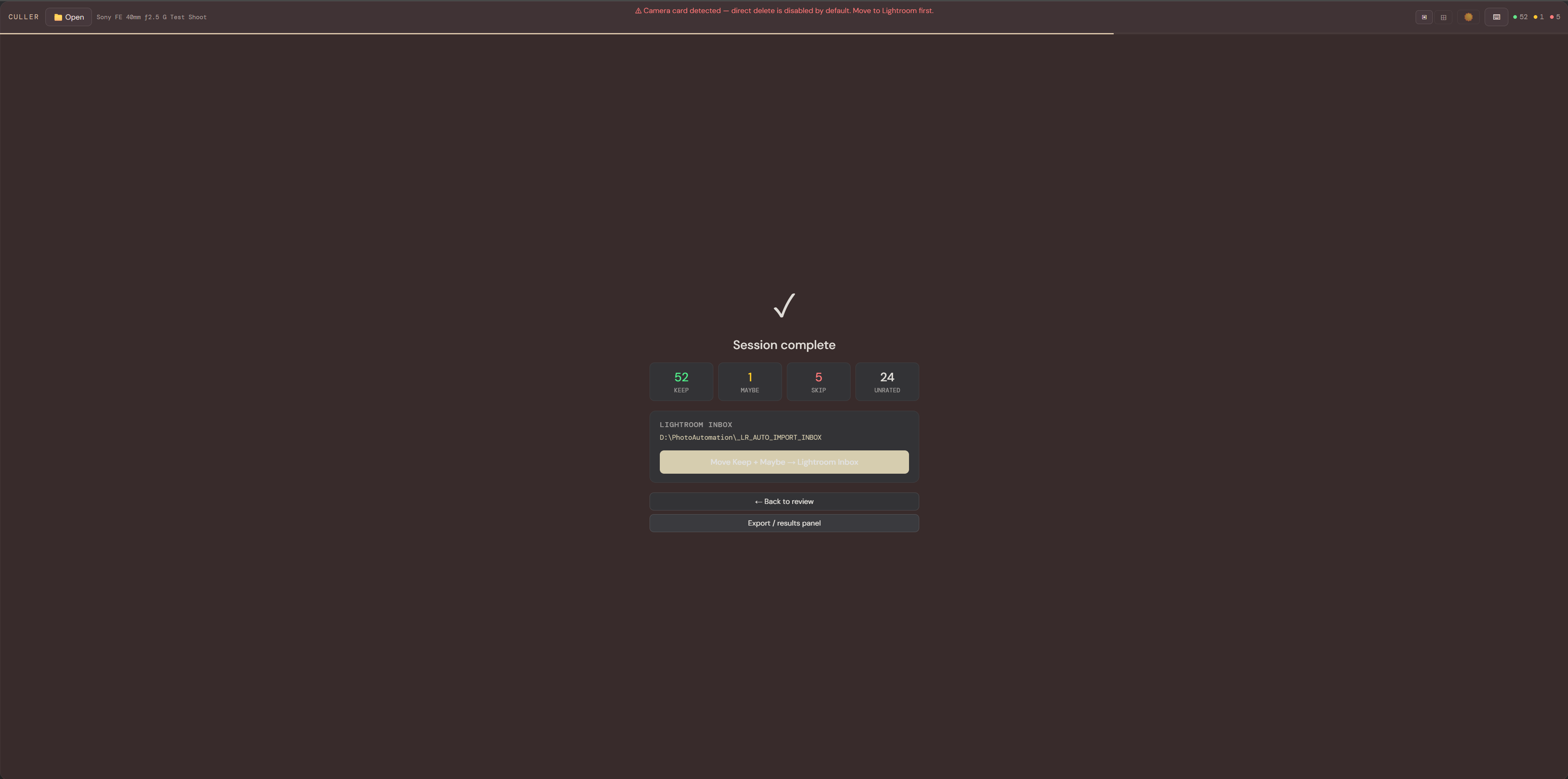
Culler is a local-first photo triage tool built to speed up the most repetitive part of the photography workflow: reviewing large batches of RAW images, selecting keepers, and preparing the strongest shots for editing.
Technology Stack
Capabilities
- Fast RAW review workflow
- Keyboard-driven keep / reject flow
- Selection state tracking
- Local-first file handling
- Pre-edit shortlist generation
Implementation
Culler is implemented as a local-first workflow focused on fast image review, keyboard-driven triage, and reducing the time between import and edit.
Problem
The first pass through a large photo set is repetitive and time-consuming. I wanted a faster workflow for reviewing images, making keep/reject decisions, and narrowing a shoot down to the strongest selects before editing.
Architecture
- Input Layer
- camera imports
- RAW files
- local folders
- Review Layer
- image preview
- keyboard controls
- selection state
- Workflow Layer
- keep / reject decisions
- triage flow
- shortlist creation
- Output Layer
- selected images
- delete candidates
- edit handoff
RAW files / local folders
          │
          ▼
      Culler interface
 image preview • keyboard review • fast navigation
          │
          ▼
     Selection workflow
 keep • reject • maybe • shortlist
          │
          ▼
      Review outcomes
 selects • delete candidates • edit queue
Public-safe workflow view for local-first photo triage and selection.
Outcome
Culler reduces the friction of first-pass photo review by making it easier to sort shoots quickly and move stronger selects into the editing workflow.
What's Next
- Metadata overlays
- Faster batch navigation
- Side-by-side compare mode
- Export and deletion handoff improvements